
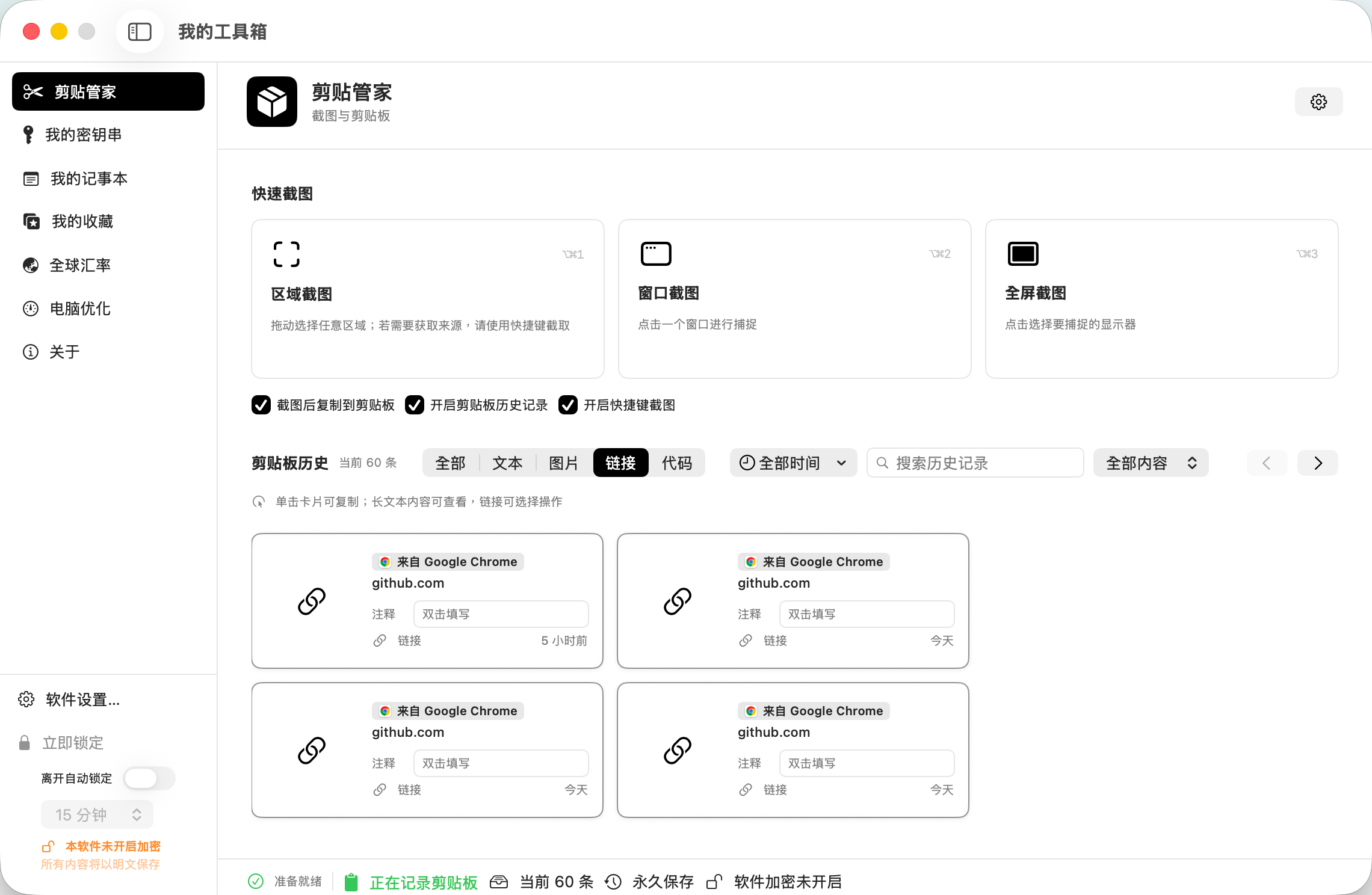
Full main window
A fixed native workspace for seven modules, global security, storage, migration, and plugin policy.
- Single-instance launch
- Activation → unlock → feature layers
- Modules load on first use

0.4.0-beta.78 · Build 91 · In active development
MYTOOLBOX · NATIVE MACOS WORKSPACE
Bring clipboard history, sensitive records, writing, collections, translation, exchange rates, and Mac maintenance back into one local data and permission model. Reach them quickly through Command-K or Work Mode when focus matters.
ONE SYSTEM · MULTIPLE SURFACES
The main window handles deep management, Command-K runs quick actions, Work Mode keeps lightweight tasks visible, and third-party modules add capabilities inside explicit authorization and audit boundaries. Every built-in module still owns its data.
PRODUCT EXPERIENCE
Each entry point serves a different task intensity without duplicating data, bypassing permissions, or creating hidden storage.
A fixed native workspace for seven modules, global security, storage, migration, and plugin policy.
A Spotlight-style panel from MyToolbox or another app, bringing screenshots, translation, collections, and plugin actions into one catalog.
A right-side window, menu-bar popover, and horizontal window above the Dock share card order, focus, and module data.
Third-party web modules use encrypted packages, on-demand authorization, seven-day audits, trusted signatures, and revocable host capabilities.
BUILT-IN MODULES
Use each module independently, or combine them through quick actions, Work Mode, and the controlled Bridge to shorten personal workflows.
Native screenshots, clipboard history, local OCR, groups, and sequential copy live in one workspace.
Manage accounts, cards, secure notes, private files, and vault items with dedicated fields.
Preserve native macOS editing while supporting plain text, rich text, images, PDF, HTML, and distraction-free writing.
Organize media, documents, web pages, code, and design files while distinguishing internal copies from Finder-linked content.
Two-pane translation, image and document translation, cross-app selection bubbles, and private local history share one service.
The network only refreshes snapshots. Conversion, card fees, interest, and charts read local data.
Show source, purpose, impact, and evidence before scanning or cleanup, leaving the final decision with the user.
PRODUCT VIEW
Screenshots come from the current 0.4.0-beta.78 · Build 91 test series. Add the main window, Command-K, Work Mode, and Plugin Center views through the CMS.
Clipboard Manager brings capture, categorization, search, and history into one native workspace.
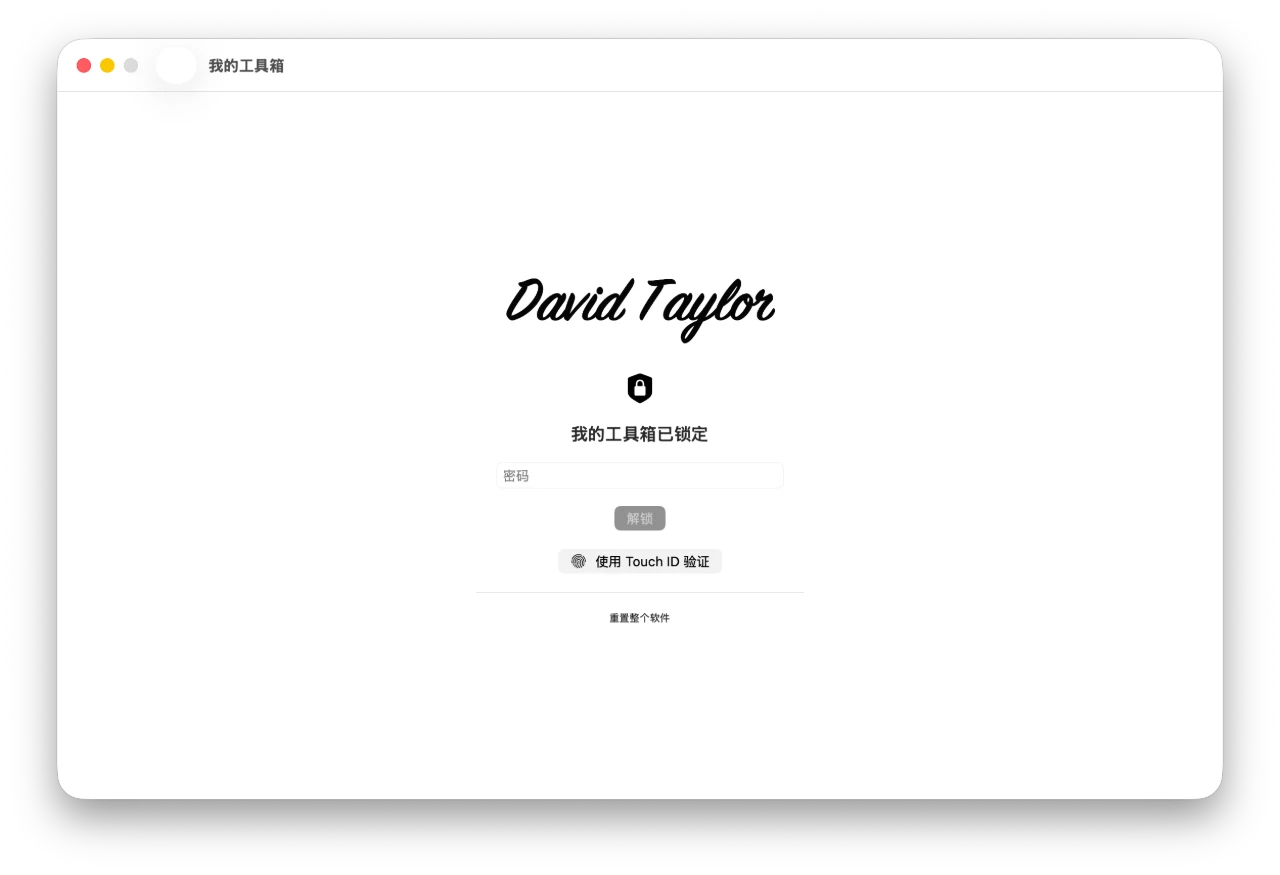
Secure entry uses password and Touch ID to protect the local workspace.
LOCAL & PRIVATE
Whole-app offline mode has the highest priority. Passwords, Secure Enclave Touch ID, per-module encryption, and third-party authorization protect different layers.
A full migration archive is generated from the single MyToolbox data root with a per-file SHA-256 manifest, then imported through same-volume staging, verification, and rollback. Device-bound credentials never move between Macs.
HOW IT WORKS
Whether a task is built in or provided by a third party, sensitive operations explain their destination and impact before they occur.
Manage deeply in the main window or act quickly through Command-K and Work Mode.
The interface first reads each module's local snapshot, index, and settings.
Network, file, autofill, cleanup, and plugin Bridge access are confirmed at the call site.
Data stays in one root and can be exported as a verifiable, rollback-safe migration archive.
The goal is not to replace every professional app, but to reduce daily movement among windows, websites, and System Settings.
DEVELOPER PLATFORM
Schema 12 supports responsive web cards, Command-K actions, a host Bridge, encrypted Data/Cache, on-demand authorization, audits, signatures, rollback, and constrained native companions for certified plugins.
The current local build is arm64 and primarily validated on Apple silicon. Permissions are requested only when their related capability is used.
These answers describe the current test build and may continue to evolve.
No. Core data lives in a local root selected by the user. Exchange rates, connected translation, web previews, and plugin networking reach external services only when those features are used. Whole-app offline mode can block them together.
No. They reuse loaded module services and store only window, order, shortcut, and display preferences in Settings.
No. Third-party web modules receive no arbitrary file paths, process execution, passwords, keys, or Touch ID material. Controlled Bridge calls, file pickers, and host capabilities require separate authorization and remain subject to global controls, offline mode, and audits.
You can export the entire data root as a migration archive with a SHA-256 manifest and rollback on failure. Touch ID material, activation receipts, and developer debug authorization remain device-bound.
No. Screenshots, Touch ID, autofill, Input Monitoring, and Full Disk Access correspond to specific features. Declining one does not open or disable unrelated permissions.
It is still a personal test build. Mac Optimization explains source, purpose, impact, and recommendations, but you should inspect every item and keep backups before bulk cleanup.
CHANGELOG
New releases are added at the top while older entries remain. These notes come from the app version, build number, and development log.
Command-K, the third-party module protocol, and cross-app capture moved through one reliability release.
Work Mode expanded to three surfaces while third-party modules gained clearer runtime, permission, and diagnostic boundaries.
The first Work Mode, linked collection, and local security features became a continuous usable foundation.
0.4.0-beta.78 · Build 91In active development
The current arm64 build is intended for personal testing and includes seven built-in modules, Command-K, three Work Mode surfaces, and the schema 12 extension platform. Keep independent backups of important data and review every Mac Optimization result before acting.
INSTALLATION GUIDE
xattr -dr com.apple.quarantine "/Applications/我的工具箱.app"